Measuring mobile app performance is no longer optional in a competitive app market where users expect speed, stability, and smooth experiences. Even a small delay, crash, or lag can lead to uninstalls, poor reviews, and lost revenue. This is why understanding how your app performs in real-world conditions is critical for long-term success.
Mobile app performance goes beyond just load time or crash rates. It includes responsiveness, resource usage, network efficiency, and how consistently the app behaves across devices and operating systems. Without proper measurement, performance issues often remain hidden until users start leaving.
In this guide, you will learn how to measure mobile app performance using the right metrics, tools, and testing approaches. Whether you manage an Android app, an iOS app, or both, this article will help you track performance accurately and make data-driven improvements.
What Is Mobile App Performance
Mobile app performance refers to how efficiently and reliably an app operates while users interact with it. It measures how quickly screens load, how smoothly actions respond, and how stable the app remains during real usage. Strong performance ensures users experience minimal delays, errors, or disruptions.
App performance is not limited to speed alone. It also includes how well the app uses device resources, handles network requests, and maintains stability under different conditions. A well-performing app feels responsive, consistent, and dependable across devices.
Defining Mobile App Performance Metrics
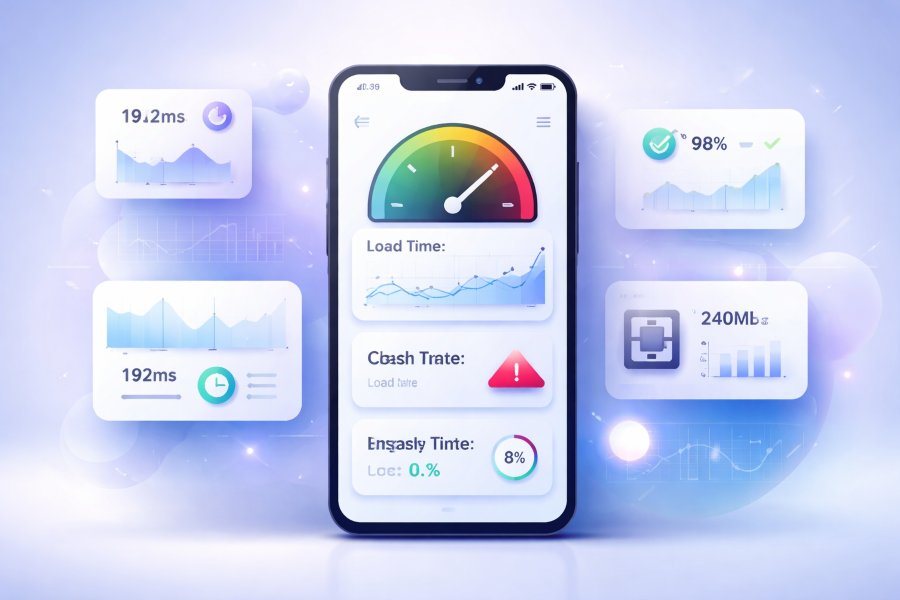
Mobile app performance metrics are measurable indicators used to evaluate how an app behaves during usage. These metrics provide clear data on speed, stability, and efficiency, helping teams identify performance bottlenecks. Common metrics include app launch time, screen load time, crash rate, memory usage, and network latency.
Each metric reveals a specific aspect of performance health. For example, high crash rates indicate stability issues, while slow API response times point to backend or network problems. Tracking these metrics consistently allows teams to monitor improvements and catch regressions early.
Performance vs Functionality vs Usability
Performance, functionality, and usability are related but distinct aspects of a mobile app. Functionality focuses on what the app can do, while usability determines how easy and intuitive it is to use. Performance defines how fast, stable, and efficient those features feel in real time.
An app can be functional and usable but still fail due to poor performance. Slow load times, frequent crashes, or laggy interactions quickly frustrate users, even if features work as intended. True app quality comes from balancing all three elements to deliver a smooth and satisfying user experience.
Key Metrics to Measure Mobile App Performance
Measuring mobile app performance starts with identifying the right metrics that reflect real user experience. These metrics help you understand how fast, stable, and efficient your app feels during everyday use. Tracking them consistently allows you to detect issues early and improve overall app quality.
Each performance metric focuses on a specific technical or user-facing aspect of the app. When analyzed together, they provide a complete picture of performance health. Below are the most important metrics every mobile app team should monitor.
App Launch Time and Startup Speed
App launch time measures how long it takes for your app to become usable after a user taps the icon. Slow startup times create a poor first impression and increase abandonment rates. Faster launch speeds signal a well-optimized app and improve user satisfaction.
This metric is especially critical for first-time users. Optimizing background processes, reducing heavy assets, and streamlining initialization logic can significantly improve startup performance.
Screen Load Time and Navigation Speed
Screen load time tracks how quickly content appears when users navigate between screens. Delays during navigation make the app feel sluggish and unresponsive. Smooth and fast transitions improve engagement and overall usability.
Monitoring this metric helps identify inefficient data loading or rendering issues. Optimizing APIs, caching data, and reducing unnecessary UI redraws can improve navigation speed.
App Responsiveness and UI Lag
Responsiveness measures how quickly the app reacts to user interactions such as taps, swipes, and scrolling. UI lag occurs when these actions feel delayed or stutter during execution. Poor responsiveness breaks the flow of interaction and frustrates users.
This metric often reflects issues with main thread blocking or inefficient animations. Maintaining smooth frame rates and optimizing UI rendering are key to reducing lag.
Crash Rate and App Stability
Crash rate shows how often the app unexpectedly closes during use. High crash rates directly affect user trust and lead to negative app store reviews. Stability is one of the strongest indicators of overall app quality.
Tracking crash frequency, affected devices, and OS versions helps prioritize fixes. A stable app encourages longer sessions and higher retention rates.
Error Rate and Failed Requests
Error rate measures how often the app encounters failures such as API errors or failed actions. These issues may not always crash the app but can block critical features. Frequent errors damage user confidence and usability.
Monitoring error logs helps identify backend, network, or logic issues. Reducing error rates improves reliability and perceived performance.
Battery Usage and Power Consumption
Battery usage evaluates how much power your app consumes during active and background use. Apps that drain battery quickly are often uninstalled by users. Efficient power usage is essential for long-term retention.
This metric highlights inefficient background tasks or excessive sensor usage. Optimizing refresh intervals and background processes can reduce power consumption.
Memory Usage and Resource Efficiency
Memory usage measures how much RAM the app consumes during operation. Excessive memory usage can cause slowdowns, crashes, or forced app closures. Efficient memory management ensures smoother multitasking.
Tracking this metric helps detect memory leaks and resource mismanagement. Optimizing image handling and object lifecycles improves resource efficiency.
Network Performance and API Response Time
Network performance tracks how quickly the app communicates with servers and retrieves data. Slow API response times lead to loading delays and incomplete content. Reliable network performance is critical for data-driven apps.
Monitoring latency, timeouts, and failed requests helps identify backend or connectivity issues. Optimizing API endpoints and handling poor networks gracefully improves user experience.
How to Measure Mobile App Performance on Android
Measuring mobile app performance on Android requires tracking platform-specific metrics and behaviors. Android apps run across a wide range of devices, hardware capabilities, and OS versions, which makes performance monitoring especially important. Consistent measurement helps identify issues that affect user experience on different devices.
Android performance testing focuses on speed, stability, resource usage, and responsiveness. Using the right metrics and tools allows developers and product teams to understand how the app behaves in real-world conditions. This approach ensures performance optimizations are accurate and effective.
Android Performance Metrics to Track
Key Android performance metrics include app launch time, frame rendering speed, memory usage, and crash frequency. These metrics reveal how smoothly the app loads, responds to interactions, and handles background processes. Monitoring them helps uncover device-specific performance bottlenecks.
Additional metrics such as ANR rates, battery consumption, and network latency are also critical. High ANR rates often indicate blocked main threads, while excessive battery usage signals inefficient background activity. Tracking these metrics ensures the app performs reliably across the Android ecosystem.
Native Tools for Android Performance Testing
Android provides built-in tools that help analyze and measure app performance. Tools like Android Studio Profiler allow developers to monitor CPU, memory, and network usage in real time. These tools provide detailed insights into how the app behaves during different interactions.
Logcat and performance traces also help identify crashes, slow operations, and background task issues. Using native tools during development and testing improves accuracy and speeds up performance troubleshooting.
Common Android Performance Issues to Watch
Android apps often face performance challenges due to device fragmentation and hardware limitations. Slow startup times, UI jank, and frequent ANRs are common issues that affect user experience. These problems usually stem from heavy initialization logic or inefficient UI rendering.
Memory leaks and excessive background services can also degrade performance over time. Monitoring these issues early helps prevent crashes and ensures long-term app stability.
How to Measure Mobile App Performance on iOS
Measuring mobile app performance on iOS focuses on delivering smooth, stable, and responsive experiences across Apple devices. Although iOS runs on a more controlled hardware environment than Android, performance issues can still affect user satisfaction. Tracking iOS-specific metrics helps maintain consistency and quality.
iOS performance monitoring emphasizes responsiveness, resource efficiency, and stability. Using Apple’s native tools and analytics allows teams to detect performance issues early. This approach ensures the app meets user expectations and App Store standards.
iOS Performance Metrics That Matter
Important iOS performance metrics include app launch time, frame rate, memory usage, and crash frequency. These metrics indicate how smoothly the app loads and responds to user interactions. Consistently high frame rates are essential for fluid animations and scrolling.
Other key metrics include battery consumption and network response times. Excessive power usage or slow data loading negatively affects user retention. Monitoring these metrics helps maintain optimal performance across different iOS versions.
Built-In iOS Performance Monitoring Tools
Apple provides powerful built-in tools to measure app performance on iOS. Instruments in Xcode allows developers to analyze CPU usage, memory allocation, and energy impact in detail. These tools offer real-time insights during testing and debugging.
Crash logs and performance reports from Xcode also help identify stability issues. Using these tools regularly ensures performance problems are addressed before reaching production.
Typical iOS Performance Bottlenecks
Common iOS performance bottlenecks include main thread blocking and inefficient UI updates. Heavy processing on the main thread often leads to laggy interactions and dropped frames. Optimizing background tasks helps maintain smooth performance.
Memory management issues such as retain cycles can also cause slowdowns and crashes. Monitoring resource usage and testing across iOS versions helps prevent these problems and ensures long-term app stability.
Tools to Measure Mobile App Performance
Measuring mobile app performance accurately requires the right set of tools that provide clear and actionable insights. These tools help track user behavior, detect performance bottlenecks, and monitor app stability in real time. Choosing the right combination ensures a complete view of how your app performs in production.
Different tools serve different performance goals. Some focus on user analytics, while others specialize in deep technical monitoring or crash diagnostics. Using them together helps teams make data-driven optimization decisions.
Mobile App Analytics Tools
Mobile app analytics tools track how users interact with your app and how performance affects behavior. They provide insights into session length, screen load times, and user drop-off points. This data helps connect performance issues directly to user experience and retention.
Analytics tools are especially useful for understanding real-world usage patterns. By analyzing performance alongside user actions, teams can prioritize fixes that deliver the biggest impact.
Performance Monitoring and APM Tools
Application Performance Monitoring tools focus on the technical health of your mobile app. They track metrics such as response time, CPU usage, memory consumption, and network performance. These tools help identify slow operations and backend-related issues.
APM tools are valuable for diagnosing complex performance problems. They allow teams to trace issues across app components and server interactions with precision.
Crash Reporting and Error Tracking Tools
Crash reporting tools detect when and why an app crashes during use. They provide detailed logs, device information, and stack traces to help pinpoint the root cause. Reducing crash rates directly improves app stability and user trust.
Error tracking tools also capture non-crash issues such as failed requests or broken flows. Monitoring these errors helps prevent silent failures that degrade user experience.
Real-Time Performance Monitoring Solutions
Real-time performance monitoring solutions track app behavior as users interact with it. They provide instant visibility into slowdowns, spikes in errors, and performance regressions. This allows teams to respond quickly before issues affect a large user base.
These tools are especially useful after new releases or updates. Continuous real-time monitoring ensures performance remains consistent as the app evolves.
Final Thoughts
Measuring mobile app performance is an ongoing process, not a one-time task. User expectations continue to rise, and even small performance issues can have a significant impact on retention, ratings, and revenue. Consistent monitoring ensures your app remains fast, stable, and reliable.
By tracking the right metrics and using proper performance tools, you gain clear visibility into how your app behaves in real-world conditions. This data helps you identify bottlenecks, prevent crashes, and make informed optimization decisions. Performance measurement turns guesswork into actionable insight.
A performance-focused mindset ultimately leads to better user experiences and long-term app success. When performance is treated as a core product priority, your mobile app is better positioned to compete and grow in a crowded market.